Resetting a digital door lock code takes 5 to 10 minutes on most keypad and smart locks, and the method depends on whether you have your current programming code, your lock's master code, or neither. Losing that code is the hidden catch: without it, you're looking at a factory reset that wipes every stored code, including ones you shared with family, cleaners, or dog walkers.
- Resetting a digital door lock code takes 5-10 minutes when you have the master or programming code.
- No master code means a full factory reset, which erases every stored user code on the lock.
- Kwikset, Schlage, and August/Yale locks each use a different reset sequence — mixing them up locks you out further.
- Apex Lock N Key resets and reprograms digital locks on-site in Middlesex County when a homeowner has no working code left.
Why this matters
A digital lock that won't accept a new code isn't just an inconvenience — it's a security gap. Old codes shared with a former tenant, a contractor, or an ex-roommate stay active until someone resets the lock, and in 2026 that's still one of the most overlooked security lapses homeowners make after a move-out or breakup. Getting the reset right the first time also avoids draining batteries mid-process, which on some models triggers a lockout state that requires mechanical key backup or a professional call.
How to reset a digital door lock code
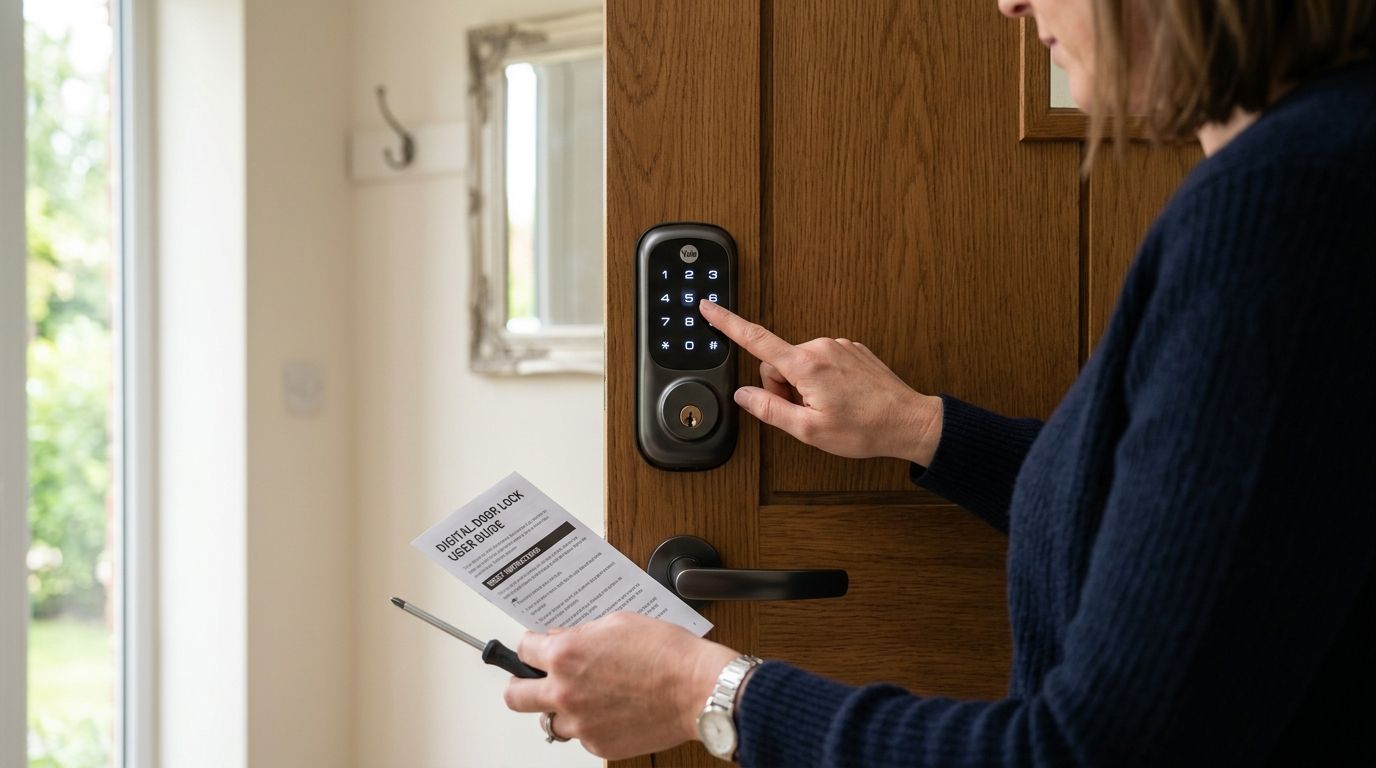
Most keypad locks follow the same basic sequence, whether it's a standalone deadbolt or a connected smart lock:
- Locate your programming or master code. This is usually printed on a sticker inside the battery compartment, in the original packaging, or set by whoever installed the lock.
- Enter the programming mode. Press the program button (often a small recessed button near the keypad or inside the battery cover) or hold a specific key combination for a few seconds until you hear a tone or see a light change.
- Enter the master code, followed by the option to add, delete, or overwrite a user code.
- Set the new code and confirm it — most locks require you to enter it twice.
- Exit programming mode and test the new code before locking yourself out.
If you don't have the master code, none of this works — you'll need a full factory reset instead, which is a different process covered below.
Comparison: reset method by starting point
| Situation | Method | Time |
|---|---|---|
| You have the master code | Standard reprogram (steps above) | 5-10 minutes |
| You lost the master code | Factory reset via reset button/pinhole | 10-15 minutes |
| Lock is connected to an app (August, Yale Assure, Schlage Encode) | Reset through the app or account | 5 minutes |
| Lock is unresponsive or battery-dead | Battery replacement first, then reset | 15-20 minutes |
Kwikset SmartCode: resetting the code
Kwikset SmartCode locks use a program button located behind the interior cover. With the door open, press the program button once, then enter your existing master code within 30 seconds, followed by the new code twice. If the master code is unknown, a factory reset (holding the program button for several seconds until the lock cycles through its default state) wipes all codes and returns the lock to its out-of-box programming code, which is printed inside the battery compartment.
Schlage keypad locks: resetting the code
Schlage BE and FE series deadbolts use a similar program-button sequence, but the button is typically on the interior assembly near the batteries. Enter the current programming code, select the add/delete function, then set the new code. Schlage locks that have never been reprogrammed default to a factory code found on the included documentation — if that's missing, a full reset clears all codes at once.
August and Yale Assure smart locks: resetting the code
App-connected locks like August and Yale Assure handle resets differently — the code lives in the paired smartphone app, not just the keypad. Open the app, go to the access or codes section, and update or revoke a code directly; a change syncs to the lock within seconds over Bluetooth or Wi-Fi. If the app account is lost along with the phone, the lock usually needs a manual factory reset at the device itself, which also disconnects it from the old account.
Why digital lock codes fail to reset
- Low battery power — many keypad locks refuse to enter programming mode below a certain charge threshold, even if the keypad still lights up.
- Wrong programming mode window — most locks give you 20-30 seconds to enter the master code after triggering program mode; wait too long and it times out.
- Duplicate or too-short codes — some locks reject a new code that's too similar to an existing one or doesn't meet the minimum digit length.
- App/account mismatch — for smart locks, a code change made in the app before the lock has synced doesn't take effect at the door.
- Firmware quirks after an update — some connected locks require a fresh code entry after a firmware push, which resets stored user slots.
A locksmith who handles electronic deadbolt installation for homeowners sees these failure points constantly — most reset problems trace back to a dead battery or a mismatched app account, not a defective lock.
“If you can't reset the code within two tries, stop — a third failed attempt on some models triggers a lockout mode that needs a mechanical override.”
What is the default code on a digital door lock?
The default code on a digital door lock is set by the manufacturer and printed on a sticker inside the battery compartment or in the included documentation — it is not a universal number across brands or models. If that sticker is missing or worn off, a factory reset restores the lock to its out-of-box state, at which point the default code (if the lock has one) becomes accessible again through the manual.
How do I reset a keypad lock without the master code?
Without the master code, you'll need a factory reset, which usually involves the program button, a reset pinhole, or a specific key-and-button combination listed in the manual. This wipes every stored user code, so anyone who had access under the old codes loses it and needs to be re-added manually.
Can you reset a smart lock without removing it from the door?
Yes — nearly all resets, whether keypad-based or app-based, happen with the lock fully installed. Removing the lock from the door is only necessary if the reset button is inaccessible from the interior or the mechanism itself has failed.
Homeowners weighing a full upgrade instead of another reset often compare smart lock options for a long-term rental property or check whether rekeying instead of replacing makes more financial sense for their situation.
For small business owners, the same reset logic applies at a larger scale — a shared office keypad with a dozen former employee codes still active is a liability, and keypad lock installation for offices and small businesses usually pairs with a full access audit. Businesses managing several entry points sometimes move past standalone keypads entirely toward access control setups built for small business offices.
Locked out of a keypad you can't reset?
Apex Lock N Key handles digital lock resets and reprogramming across Middlesex County.
FAQ
How do I reset a digital door lock code without the manual?
Look for the program button location and default code sticker inside the battery compartment first — most brands print the reset sequence there even without the manual on hand. If nothing's printed, searching the lock's model number online pulls up the manufacturer's reset steps directly.
How much does it cost to have a locksmith reset a digital lock in 2026?
Locksmith reset costs vary by lock brand and whether a factory reset or full reprogramming is needed, and pricing is best confirmed with a direct quote in 2026 rather than a flat estimate. Simple reprogramming with an existing master code is typically faster and cheaper than a full factory reset that requires reconfiguring every user code afterward.
Is it better to reset a digital lock or replace it entirely?
Reset the lock if it's under a few years old and mechanically sound — replacement only makes sense if the keypad is failing, the battery compartment is corroded, or you're upgrading to app-connected access. Most digital locks in 2026 hold up fine through dozens of resets over their lifespan.
Can a locksmith reset a smart lock if I lost access to the app account?
Yes, a locksmith can perform a manual factory reset at the lock itself even without app access, though this disconnects the lock from the old account and requires setting up the app fresh afterward. This is common after a lost or replaced phone.
Why won't my keypad lock accept a new code?
A keypad lock usually rejects a new code because of a low battery, a programming mode timeout, or a code that's too similar to an existing one. Replacing the batteries before attempting another reset solves most of these cases.
Do digital locks reset themselves after a power outage?
No, battery-powered digital locks keep stored codes through a power outage since they don't rely on household electricity — only a manual factory reset or dead battery wipes stored codes. Hardwired access control panels are the exception and can reset differently depending on the system.
What's the difference between rekeying and resetting a digital lock code?
Resetting changes the digital access code on a keypad or app-connected lock, while rekeying is a mechanical process that changes the physical pins inside a traditional lock cylinder. Digital locks don't need rekeying unless they also have a mechanical key backup.
One last thing
The most overlooked reset trigger isn't a lost code — it's a battery swap done without checking the lock's manual first. Some models wipe all stored codes automatically if the battery compartment is left open too long or if batteries are inserted in the wrong order, catching homeowners off guard the next morning when none of their usual codes work.