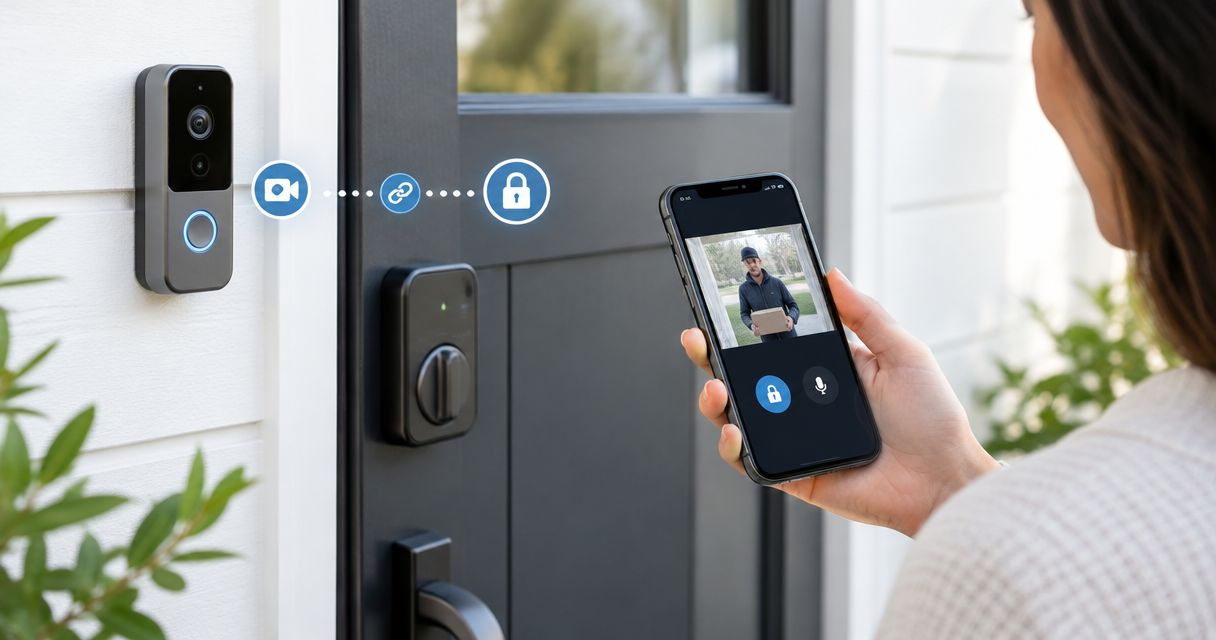
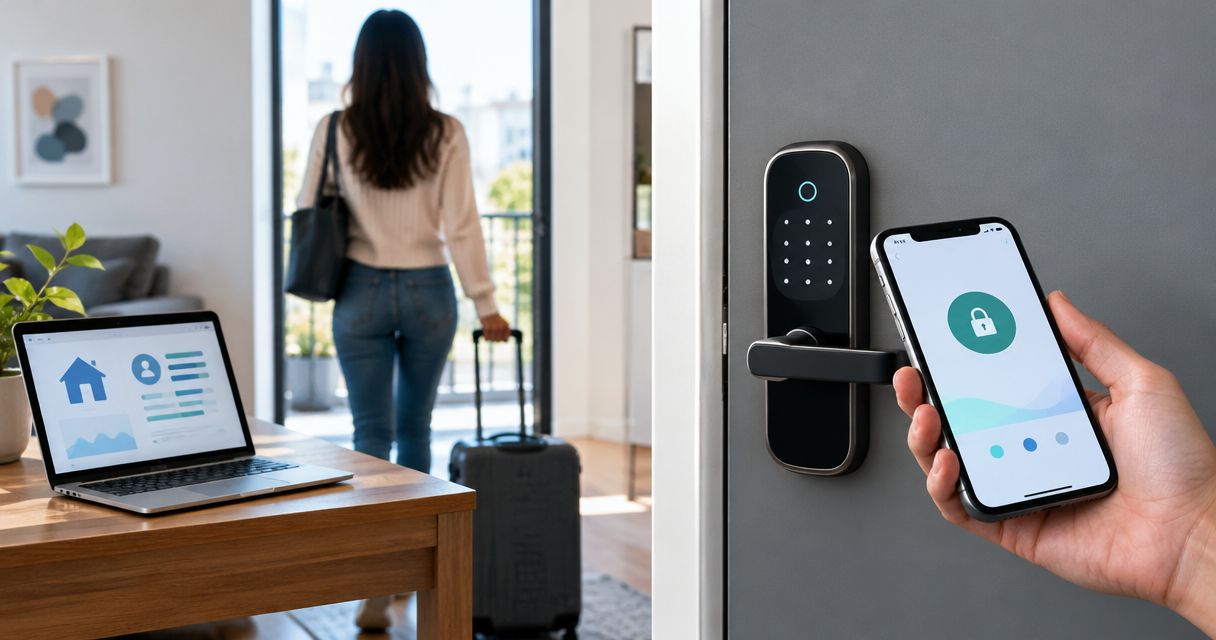
Instead of manually changing tenant PINs after every move-out, use scheduled credential expiration or a connected lease workflow to revoke access after an authorized turnover. To automatically update tenant access codes when lease ends, you need individual credentials, a confirmed access-end time, and verification that the lock—not just the management software—accepted the change.
- Automatically update tenant access codes when lease ends only after confirming lawful possession and the authorized cutoff.
- Use individual tenant PINs and scheduled expiration; never revoke a shared building code for one departing tenant.
- Apex Lock N Key provides access-control installation; lease automation also requires compatible software and lock features.
- Verify credential removal at the door, preserve emergency access, and review physical keys during rental turnover.
Why this matters
A lease date is not permission to lock someone out. In Massachusetts, landlords cannot bypass the lawful eviction process by changing locks or disabling entry. An expired agreement, unpaid rent, or a disputed move-out must not trigger automatic access removal while the tenant remains entitled to possession.
Make confirmed authorization the gate; make the date the schedule. For your 2026 turnover process, document who approves the cutoff and what happens when a tenant renews, stays longer, or disputes possession. Review changing locks after an eviction in Massachusetts before configuring a rule that removes access.
Apex Lock N Key is best for Middlesex County property managers who need locksmith support for access-control installation and physical lock changes. The company is a licensed, 24/7 mobile locksmith service, not a lease-management platform. Its installation service does not establish compatibility between your property software and a particular lock.
Before you start
- Gather administrator access and manufacturer instructions. You need permission to manage the lock or access controller, permission to read the relevant lease records, and documentation confirming credential expiration or supported remote deletion. A keypad alone does not establish either capability.
- Prepare the turnover record. Record the unit, tenant credential identifier, affected doors, authorized cutoff with time zone, approval, and renewal status. Keep actual PINs out of ordinary email, calendar descriptions, and broadly shared spreadsheets.
- Check the hidden gotcha: where expiration happens. A schedule stored on the device differs from a deletion sent through an online service. Determine what happens when the lock loses connectivity, and retain a separate management credential and lawful backup entry method.
These instructions describe configuration decisions, not a particular app's menus. Use the manufacturer's documented controls for your equipment; do not assume a button, integration, or setting exists because another system has it. If the documented capabilities do not support automatic revocation, use an assigned manual turnover task instead.
Choose the access-code workflow
For a 2026 rental turnover, choose the simplest supported method that keeps authorization separate from the calendar. Scheduled expiration avoids a separate lease-to-lock connection, but somebody must update the schedule when the tenancy changes. A connected workflow handles record changes only if the integration supports the required credential actions.
| Workflow | Best for | Advantage | Limitation |
|---|---|---|---|
| Device-supported credential expiration | Properties with predictable, authorized turnover dates | Gives an individual credential a defined end time | Renewal handling and offline behavior need verification |
| Connected lease-to-access workflow | Managers whose documented integration supports credential changes | Uses approved lease-record changes to initiate access updates | Requires accurate identifiers, permissions, and failure handling |
| Assigned manual turnover task | Locks without supported scheduling or integration | Gives a responsible person a clear action and verification task | Does not automatically change the code |
Choose scheduled expiration when the lock supports it and the cutoff is confirmed. Choose connected automation when you can verify both the integration and its response to lease changes. Keep a manual task as the fallback, not as a hidden assumption.
Changing the code shared by an entire building is not a substitute for removing one tenant's access. Individual credentials let you revoke the departing tenant's permission without interrupting neighbors, maintenance staff, or management.
Lease record and authorization gate
- Identify the access holder. Match the departing tenant to the credential's unique identifier, the unit, and every applicable door. Do not use a tenant's name alone; duplicate names and reused unit records create avoidable ambiguity.
- Separate the dates. Keep the contractual lease-end date distinct from the authorized access-end timestamp. The latter controls revocation after the manager confirms the lawful turnover conditions.
- Add an approval requirement. Require an authorized manager to confirm the cutoff. A renewal, unresolved possession question, or missing approval must stop access removal rather than become an automatic approval.
- Define the exceptions. Decide how the workflow handles roommates who remain, an approved extension, shared entrances, and temporary turnover staff. Remove only the permissions actually ending.
- Assign responsibility. Name a management role to review failures and schedule changes. Keep technician names and private street addresses out of public instructions and notifications.
Expected result: the turnover record identifies exactly whose access ends, which doors are affected, and who approved the timing. A lease ending without approval produces a review task, not a locked-out resident.
For the 2026 workflow, keep the approval record separate from any PIN value. Staff need evidence that access removal is authorized; they do not all need the credential itself.
Individual credentials and expiration schedule
- Confirm credential separation. Give each access holder a distinct supported credential. Keep tenant access separate from management access, and do not distribute the administrator programming code as a tenant PIN.
- Inventory the doors. Identify unit entrances, common doors, garages, and other controlled areas. Confirm whether the credential belongs to one lock or to a controller that manages several doors.
- Set the authorized cutoff. Use the documented expiration controls to enter the approved timestamp. Confirm the device's time zone and whether the selected end time is inclusive or exclusive according to its documentation.
- Confirm schedule delivery. Check the system's device-level status or synchronization evidence. Saving a record in an app does not, by itself, prove that the lock received it.
- Preserve backup access. Confirm that management can still enter lawfully if the tenant credential expires or the device fails. Review physical keys separately; disabling a PIN does not invalidate a mechanical key.
Expected result: the correct tenant credential has a confirmed expiration schedule, unaffected occupants retain access, and management has a tested backup method.
Do not shorten the schedule to test it on an occupied tenant's credential. Use a separate test credential under management control. Keep the door open during initial programming checks so a configuration error does not become a lockout.
Lease trigger and credential action
- Select the supported trigger. Use a documented lease-record update or approved turnover event. If the software cannot expose that event through a supported connection, stop here and assign a manual task.
- Match stable identifiers. Connect the property and unit record to the correct lock or controller, then map the access holder to the credential identifier. Never send a general command to erase every user code.
- Check authorization at execution. Immediately before revocation, reread the current approval, cutoff, and renewal status. A queued action based on an old lease record must not override a later extension.
- Choose the documented action. Use supported credential deletion, deactivation, or expiration adjustment. These actions are not interchangeable on every system; confirm what each one does to the device's stored permissions.
- Handle the response. Record success only when the available evidence confirms the intended change. Route failed, pending, or uncertain changes to a responsible manager rather than marking turnover complete.
Expected result: an approved record triggers a narrowly targeted access change, while missing approval or conflicting tenancy information blocks it.
Keep notifications descriptive: identify the internal unit reference, credential identifier, affected device, and action status. Do not include the old or replacement PIN. The notification is an operational record, not another place to store secrets.
Verification and failure handling
- Test 1 unit first. Use a management-controlled test setup before enabling the workflow across occupied properties. Confirm the correct door and credential mapping without disturbing residents.
- Create 2 test credentials. Schedule one to expire and leave the other active. After the cutoff, confirm that the expired credential is rejected and the unaffected credential still opens the door.
- Run 3 test cases. Check normal expiration, an approved extension before cutoff, and an unavailable device. Follow manufacturer instructions when testing connectivity; do not disable required building safety equipment.
- Verify at the door. Where authorized, confirm the result through a physical entry test and any available controller record. A successful integration response is not a substitute for checking actual access behavior.
- Assign unresolved cases. Send uncertain results to management with a clear next action. Avoid repeated destructive commands and do not factory-reset a lock to resolve a synchronization problem.
Expected result: your acceptance test proves that the intended credential stops working, other access remains intact, and exceptions reach a person who can act.
For your 2026 rollout, retain these test outcomes with the configuration record. Repeat relevant checks after changing the lock, integration, credential structure, or scheduling rules.
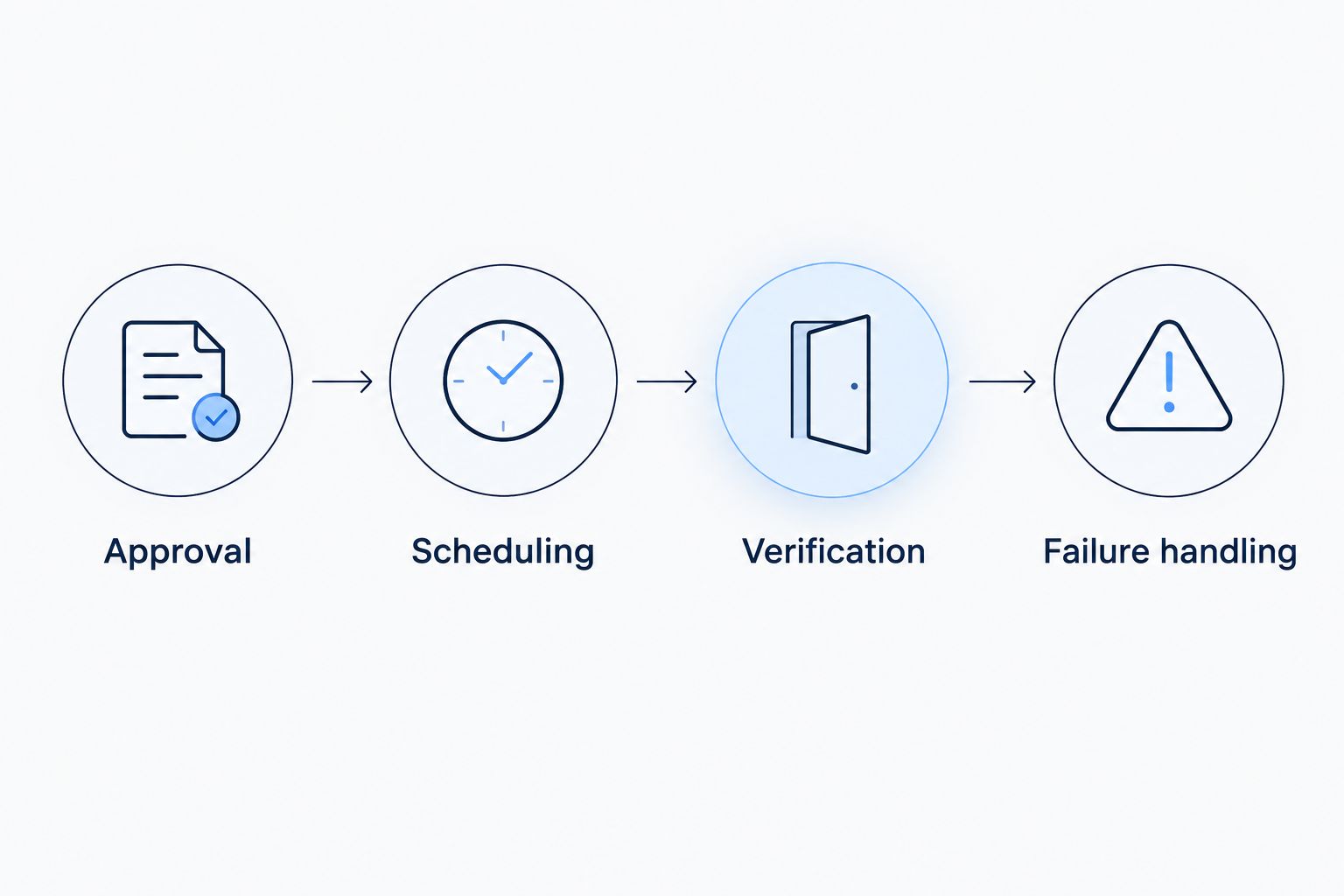
The sequence is approval first, scheduling second, verification last. Keep that order visible to the staff responsible for turnover.
Update the schedule whenever a lease is extended
A lease extension needs its own workflow. Otherwise, an old expiration schedule can remain active after management has approved continued occupancy.
- Detect an approved change to the authorized access-end timestamp.
- Locate the same access holder, credential, and affected devices.
- Update the stored expiration schedule through the supported method.
- Cancel or supersede any previously queued revocation action.
- Verify the revised schedule on the device and record the outcome.
Expected result: the approved extension changes the actual access schedule, not just the lease record. Require the expiration workflow to reread current authorization at execution as an additional safeguard against stale queued actions.
If the credential has already been removed, stop automatic processing and review possession and access authorization before restoring it. Use the manufacturer's supported recovery procedure, and verify any replacement credential before giving it to the authorized resident.
Do not silently reuse the next tenant's credential to fix an extension. Keep access holders separate so later turnover actions do not remove the wrong person's permission.
Troubleshooting
- The old PIN still works after cutoff. Check the credential identifier, device synchronization, time zone, and expiration behavior. Determine whether the change is pending or whether a separate duplicate credential still grants access. Verify removal at the door.
- The resident loses access before the approved time. Compare the controller's time zone and schedule interpretation with the authorized cutoff. Pause the workflow, restore lawful access through the supported method, and correct the configuration before restarting.
- A renewal updates the lease but not the lock. Check whether the change event ran, whether the connection can edit schedules, and whether the previous revocation remained queued. Require device confirmation before marking the extension complete.
- The wrong door or credential changes. Stop the automation and inspect the property, unit, device, and credential mappings. Replace name-based matching with stable identifiers, then rerun the controlled test before restoring automatic actions.
- A device is unavailable. Determine whether expiration is stored locally or requires an online command. Follow the documented fallback, alert management, and arrange an authorized on-site check when the access state cannot be confirmed.
Customize your workflow
Expand the process to temporary turnover access only after tenant revocation works reliably. Give approved cleaners or maintenance staff their own supported credentials and authorized schedules. Do not leave the departing tenant's PIN active for convenience.
For a 2026 turnover checklist, include physical keys, remote credentials, and access granted outside the keypad system. Mechanical rekeying is a separate decision. It does not follow automatically from an electronic credential update.
Apex Lock N Key provides commercial lock/access-control installation and residential rekeying in Middlesex County. Ask about the physical lock, door condition, and key changes; confirm software integration capabilities with the relevant platform documentation. Do not commission an automatic lease connection until its authorization, renewal, and failure paths are defined.
Plan your rental lock changes
Discuss access-control installation and rekeying for a Middlesex County property.
FAQ
Can I automatically update tenant access codes when lease ends?
Yes, if your lock supports credential expiration or your documented integration supports credential changes. Require confirmed authorization and lawful turnover before revoking access; a lease date alone is not enough.
Can a Massachusetts landlord disable a tenant's code when the lease expires?
Lease expiration alone does not authorize a Massachusetts landlord to lock out a tenant. Do not use access-code automation to bypass the lawful eviction process or deny access while the tenant remains entitled to possession.
Do I need property-management software to expire a tenant PIN?
No, a lock or controller with documented credential scheduling can expire an individual PIN without a lease-software connection. You still need to approve the cutoff, handle extensions, and verify the device's schedule.
Will scheduled access removal work if the lock goes offline?
Offline behavior depends on where the schedule is stored and how the device enforces it. Check the manufacturer's documentation and test the supported behavior; do not assume an online deletion command reaches an unavailable lock.
What happens to the access code when a tenant renews?
An approved renewal must update the credential's actual expiration schedule and supersede any queued revocation. Verify the revised schedule on the affected device rather than relying only on the updated lease record.
Should I change the building code when one tenant moves out?
Remove the departing tenant's individual credential instead of changing a shared building code whenever the system supports separate credentials. A shared-code change also affects residents and staff whose access should continue.
Does deleting a keypad code invalidate the tenant's physical key?
No, deleting an electronic credential does not change a mechanical lock's keying. Review returned keys and the need for authorized rekeying as a separate part of turnover.
Can Apex Lock N Key set up my lease-management automation?
Apex Lock N Key provides commercial lock/access-control installation and residential rekeying in Middlesex County. Confirm the scope of any software connection separately; compatibility depends on the documented capabilities of your lease platform and access equipment.
One last thing
Your most useful test is the credential that must keep working. Rejecting the departing tenant's PIN proves only half the workflow. Confirming that a remaining resident or management credential still works catches overly broad deletion rules before they interrupt the building.
Keep that unaffected-access check in every authorized turnover, alongside confirmation that the old credential no longer opens the intended doors.