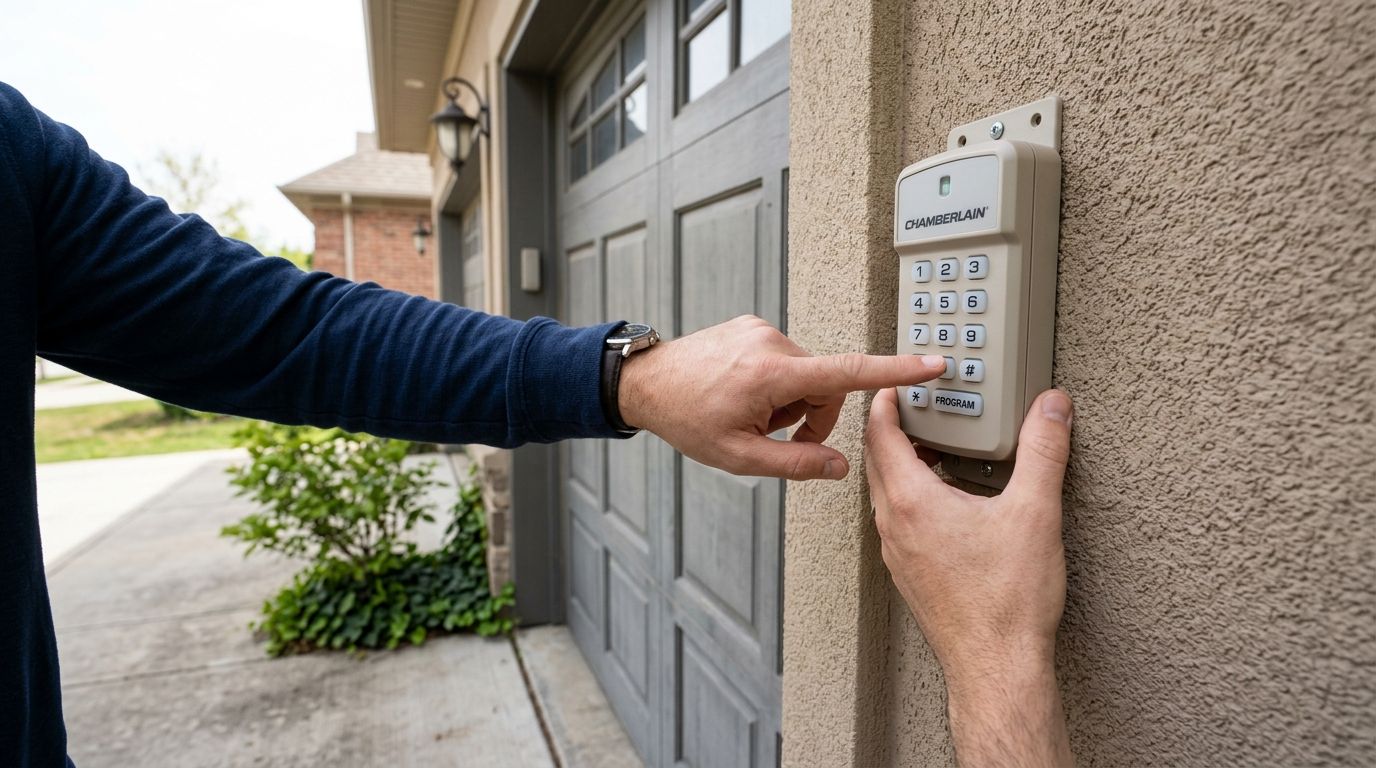
Programming a garage keypad entry code takes less than 30 seconds on most systems: press the Learn button on the garage door opener motor unit, enter a 4-to-8-digit code on the keypad, then press Enter or hold the button until the opener's lights blink. The steps above cover Chamberlain, LiftMaster, and most modern openers — the hidden catch is that the Learn button only stays active for a short window, so a code entered too slowly won't save.
- Programming a garage keypad code takes under 30 seconds: press Learn, enter a 4-8 digit code, confirm.
- Chamberlain and LiftMaster use a purple, orange, or green Learn button on the motor unit itself.
- Older Genie and Craftsman openers rely on DIP switches instead of a Learn button.
- A keypad that won't sync after three tries usually points to a dead battery or a failed receiver, not user error.
- Apex Lock N Key troubleshoots and reprograms garage keypads across Middlesex County when the DIY steps stall.
Why this matters
A garage keypad is the one entry point most homeowners never rekey or reprogram after buying the house — the code from the previous owner, a contractor, or a dog walker can still open the door years later. Getting the programming steps right in 2026 means you can rotate that code whenever a relationship changes, without waiting on a service call. If the garage door lock hardware itself is aging alongside the keypad, both problems tend to surface at once.
How do you program a garage keypad entry code?
The process is nearly identical across brands, with the button color and label being the main difference.
- Find the Learn or Program button on the garage door opener motor unit — the box mounted on the ceiling of the garage, not on the keypad itself.
- Press and release the Learn button. An LED next to it will light up or blink, signaling the opener is ready to accept a new code.
- On the keypad, enter your desired code (4 to 8 digits depending on the model) within the 30-second window most openers allow.
- Press Enter or hold the last digit until the opener's motor light blinks twice or the garage light flashes, confirming the code saved.
- Test the code by walking away from the keypad and entering it fresh — don't just repeat the sequence you already typed.
| Brand | Sync method | Code length | Best for |
|---|---|---|---|
| Chamberlain / LiftMaster | Learn button (purple, orange, or green) | 4 digits + Enter | Homeowners with an opener made after 2000 — program yourself |
| Genie | Program button on motor unit | 4 digits | Most Genie models made in the last 15 years — program yourself |
| Craftsman (older units) | DIP switches, no Learn button | Set by switch position | Openers from the 1990s-2000s — DIY only if comfortable with switches, otherwise call a pro |
| Aftermarket/universal keypads | Varies by manufacturer manual | 4-6 digits | Replacement keypads not matched to opener brand — verify compatibility first |
Chamberlain and LiftMaster keypads
These two brands share the same programming logic since LiftMaster is Chamberlain's parent line. The Learn button sits on the motor unit and is usually purple, orange, or green depending on the model year. Press it once, the LED lights up, and you have about 30 seconds to punch in your code and hit Enter on the keypad. If the light doesn't blink twice at the end, the code didn't take — repeat the process rather than guessing at the code.
Genie keypads
Genie openers use a similar Learn or Program button, though it's sometimes labeled differently across model years. The core steps stay the same: press the button, enter a code within the active window, confirm with Enter. Genie units tend to accept 4-digit codes as the default length, though check your specific keypad's manual if it was purchased separately from the opener.
Craftsman and older DIP-switch keypads
Openers built before Learn-button technology became standard rely on small DIP switches inside the keypad and the motor unit that have to match exactly. There's no button to press — you're setting a physical switch pattern instead. This method is more error-prone because a single switch out of place means the code never syncs, and it's the scenario where a locksmith diagnosis saves the most time versus repeated trial and error.
Why garage keypad programming steps vary
- Opener brand and age — Learn-button systems replaced DIP switches broadly in the early 2000s, but plenty of older units are still running in Middlesex County garages today.
- Wired vs. wireless keypads — wireless units run on batteries and stop syncing the moment that battery drops too low, even with correct steps.
- Rolling code vs. fixed code — rolling-code systems (most post-2000 openers) generate a new radio signal every time, which can make the keypad and opener fall out of sync if either side was reset separately.
- Aftermarket keypad mismatches — a universal keypad bought online may use a different code length or signal frequency than the opener expects.
- Recent Learn button use for other devices — programming a new remote or car integration wipes the Learn slot, so the keypad code has to be re-entered after.
- Receiver hardware failure — a motor unit's receiver logic board degrades over years of use and simply stops accepting new Learn-button signals altogether.
If you've worked through the steps twice and the keypad still won't hold a code, the issue usually isn't the sequence — it's one of the six factors above. A stuck or malfunctioning garage door lock is a related failure point worth ruling out at the same time, since a jammed mechanical lock can mimic keypad problems.
Keypad won't sync after multiple tries?
Apex Lock N Key troubleshoots garage openers and keypads across Middlesex County.
How do I reset a garage keypad code if I forgot it?
Most keypads reset the same way they're programmed: press the Learn button on the motor unit, then hold the keypad's existing buttons (often the two outer buttons together) for several seconds until the light blinks, clearing the old code. From there, enter a brand-new code within the 30-second Learn window using the same steps outlined above. Check your opener's printed manual for the exact reset combination since a few manufacturers use a slightly different button-hold pattern.
Can I have more than one code programmed into a garage keypad?
Most residential keypads store only one active code at a time, so entering a second code overwrites the first rather than adding to it. Higher-end 2026 models with app connectivity sometimes support multiple user codes, but a standard wall-mounted keypad from Chamberlain, LiftMaster, or Genie is single-code by design. If your household needs separate codes for a cleaning service or a landlord check-in, that's a feature to confirm before buying a replacement keypad, not something you can add to an existing one.
Is it better to call a locksmith or program the keypad myself?
DIY programming works for the majority of Learn-button openers and takes under five minutes total. Call a licensed locksmith when the Learn button doesn't light up, the keypad battery is fresh but still won't sync, or you're dealing with an older DIP-switch system — those situations usually mean hardware failure rather than a wrong step in the sequence. Apex Lock N Key handles garage keypad diagnostics as part of its residential locksmith calls in Middlesex County, and can rule out a failed receiver on the spot rather than having you cycle through the same steps repeatedly.
FAQ
What's the best way to program a garage keypad code in 2026?
Press the Learn button on the opener's motor unit, enter a 4-to-8-digit code on the keypad within about 30 seconds, then confirm with Enter. This works for the majority of Chamberlain, LiftMaster, and Genie openers made in the past two decades.
How do I program a Chamberlain or LiftMaster garage keypad?
Press the purple, orange, or green Learn button on the motor unit, enter your chosen code on the keypad, then press Enter before the 30-second window closes. The motor light blinks twice when the code saves successfully.
How do I program a Genie garage keypad?
Genie openers use a Program or Learn button on the motor unit that works the same way as Chamberlain's: press it, enter a 4-digit code on the keypad, and confirm. Check the keypad's manual if it was bought separately from the opener, since code length can differ.
Why won't my garage keypad accept a new code?
A keypad that rejects a new code usually has a dead or low battery, a receiver that's failed inside the motor unit, or a code length mismatch between the keypad and the opener. Replacing the battery first rules out the cheapest fix before assuming hardware failure.
Can I have more than one code programmed into a garage keypad?
Most standard residential keypads only hold one active code at a time, so a second code overwrites the first rather than adding to it. Some 2026 app-connected openers support multiple user codes, but that's a feature to confirm before purchase.
How do I reset a garage keypad code if I forgot it?
Press the Learn button on the motor unit, then hold the keypad's designated reset buttons until the light blinks to clear the old code. Enter a new code immediately after within the active Learn window.
Is it better to call a locksmith or program the keypad myself?
DIY programming handles most Learn-button openers in under five minutes. Call a licensed locksmith when the Learn light won't activate or an older DIP-switch system won't sync, since those point to hardware failure rather than a programming mistake.
How long does a garage keypad code stay saved?
A programmed code stays active indefinitely until it's manually reset or overwritten with a new code. It does not expire on its own, which is why changing it after a move-in or contractor job matters.
One last thing
The detail most homeowners skip in 2026: a keypad code that's never been changed since move-in is functionally a spare key you handed to a stranger. If you don't know the history of your garage keypad's code, reprogramming it takes the same 30 seconds as setting it up the first time — there's no reason to leave an old code live. Pair that reprogram with a look at your garage workshop's overall security if the space stores tools or equipment worth protecting.