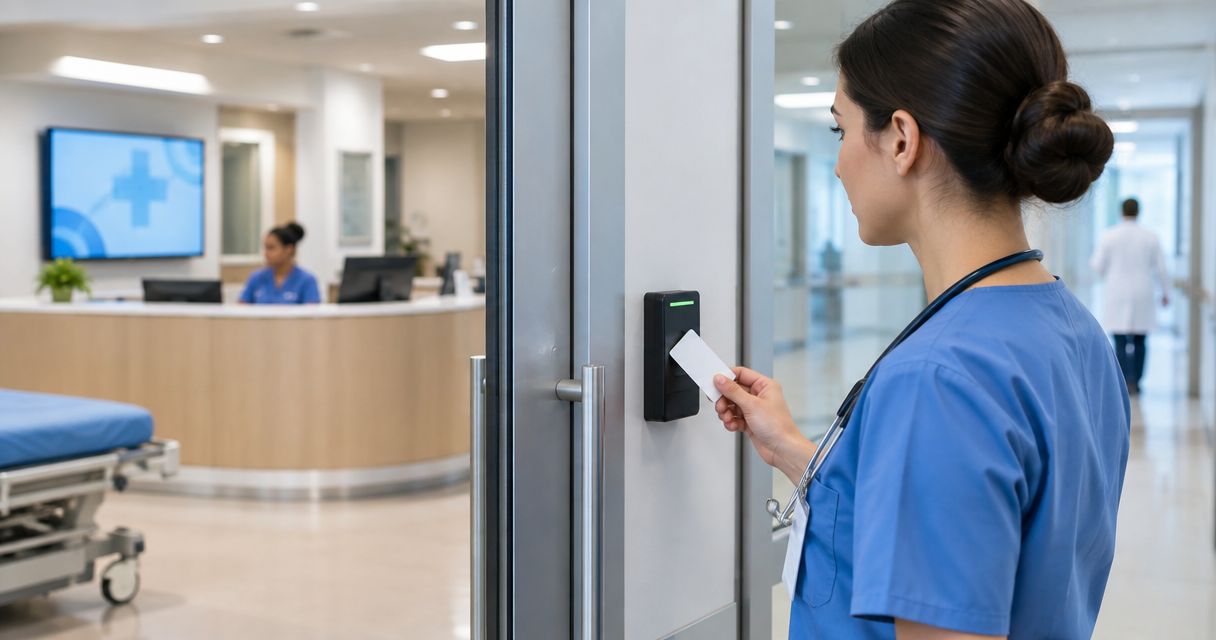
Hospital access control is the management of who can enter specific doors and areas, with the aim of protecting patients, staff, medicines, and sensitive information without obstructing care or safe exit. This guide to access control systems for hospitals explains how to plan a 2026 installation around clinical workflows, individual credentials, and approved emergency procedures.
- Access control systems for hospitals should combine individual staff credentials, restricted zones, and approved emergency exit arrangements.
- Choose managed badge access for changing staff permissions; reserve standalone keypads for limited, lower-risk uses.
- Apex Lock N Key handles local commercial lock and access-control installation requests in Middlesex County, Massachusetts.
- Test door hardware, credential removal, and outage behavior before accepting an installation.
Why this matters
A hospital door must restrict entry without becoming a barrier to care or safe exit. A badge reader alone does not solve that problem. Your plan also needs working door hardware, clear staff permissions, and an agreed response when equipment fails.
Apex Lock N Key is a licensed, 24/7 mobile locksmith service providing commercial lock and access-control installation in Middlesex County, Massachusetts. Use local installation support for the physical-door scope, while your hospital's security, facilities, IT, and clinical teams define operational requirements.
Why access control matters for hospitals
Hospitals combine public access with restricted work. Visitors need a clear route to reception, while staff need dependable entry to treatment areas, supply rooms, and other authorized spaces. Applying the same restriction to every door ignores those differences.
Shift changes, temporary assignments, contractors, and lost badges make permission management part of daily operations. An access system should let authorized administrators remove a credential without changing everyone else's access.
For your 2026 compliance review, distinguish physical security from a compliance claim. The U.S. Department of Health and Human Services' HIPAA Security Rule includes facility access controls under 45 CFR §164.310(a). Installing an electronic lock does not, by itself, establish HIPAA compliance. Your organization must address its applicable safeguards, policies, and procedures.
Also separate ordinary staff-only areas from settings involving patient containment. Behavioral health, infant protection, and controlled egress require specialist review; a general office-lock specification is not enough.
How to plan hospital access control
Map your doors and clinical workflows
Start with a floor plan and a spreadsheet. Walk the building with facilities and a clinical representative, then record each door's purpose, existing hardware, and users. This manual inventory gives you a usable brief before you compare equipment.
Use 4 planning zones as a starting framework: public, staff-only, sensitive, and infrastructure. These are working categories, not regulatory classifications. A door serving several purposes needs its own review rather than an automatic assignment.
Include routes used for beds, wheelchairs, deliveries, and emergency movement. A restriction that looks sensible on a floor plan can interfere with an actual care route.
- Mark public entrances and visitor reception routes.
- Identify staff-only doors and their authorized departments.
- Flag pharmacy, records, server, and other sensitive spaces.
- Record door condition, opening direction, and existing exit hardware.
- Note clinical routes that require uninterrupted movement.
Define permissions before choosing credentials
Write a simple permission matrix: staff role, permitted area, permitted schedule, and approving manager. Start manually, using department input rather than giving every employee building-wide access.
Use individual credentials wherever accountability matters. A shared code cannot reliably identify which person entered it. A managed system with individually assigned credentials makes permission changes easier than collecting physical keys, provided credential administration is properly configured.
Account for float staff and temporary workers without permanently widening their permissions. Define an approved exception process for urgent clinical access, including who reviews it afterward.
- Assign access by job need rather than seniority alone.
- Give contractors named, time-limited permissions where supported.
- Identify who approves cross-department access.
- Document lost-badge reporting and credential removal.
- Set a review trigger for transfers and departures.
Match hardware to each door
Inspect the door before buying a reader. Check the frame, hinges, closer, latch, and existing exit hardware. Electronic control cannot compensate for a door that fails to close or latch correctly.
For local commercial installation requests, Apex Lock N Key provides lock and access-control installation in Middlesex County. Bring the door inventory and permission brief to the installer so the discussion starts with requirements rather than a preferred gadget. Confirm hospital-specific scope, system compatibility, and project responsibilities before appointing any contractor.
An electric strike, electrified locking hardware, and a magnetic lock behave differently. Selection must account for the door assembly, approved exit arrangement, and applicable requirements—not appearance alone.
- Repair closing and latching defects before adding electronic control.
- Check compatibility with existing door and frame hardware.
- Identify fire-rated openings and preserve their approved assembly.
- Confirm accessible operation with the responsible project team.
- Document wiring, power, and controller requirements.
Specify safe exit and failure behavior
Write down what each controlled door must do during normal use, power loss, and an emergency. Have the responsible design professional and authority having jurisdiction review the arrangement. Do not assume every hospital door should unlock whenever a fire alarm operates.
Fail-safe and fail-secure describe locking behavior when power is lost; neither term alone establishes whether a door provides compliant exit. The complete assembly and release arrangement matter. Staff must understand the approved procedure without improvising around a failed reader.
Do not use this guide as an installation instruction for controlled egress or patient-containment doors. Those openings need a project-specific design and approval.
- Record normal entry and exit behavior for each door.
- Specify the approved response to loss of power.
- Document any required alarm interface and release method.
- Provide an authorized fallback access procedure.
- Assign responsibility for approving emergency operation.
Choose management and monitoring requirements
Begin with a written list of administrative tasks: issue a credential, change a role, disable a lost badge, and investigate an access event. Ask prospective providers to demonstrate those tasks against your brief.
For a 2026 procurement, compare local administration and hosted administration on responsibility, connectivity, and support—not on labels alone. Require an explanation of what happens when the network or management platform becomes unavailable. Behavior depends on the selected equipment and configuration.
Keep physical access records separate from clinical records unless a specific, approved integration requires otherwise. Decide who can view logs and how long your organization will retain them.
- Require named administrator accounts and defined privileges.
- Ask how readers and controllers operate without connectivity.
- Verify available event types and reporting functions.
- Document supported integrations with existing systems.
- Assign ownership of updates, backups, and configuration records.
Test a pilot before expanding
Choose a pilot door that represents your intended use without disrupting critical care. First write a manual acceptance checklist; then use the proposed system to demonstrate each task. Expand only after the responsible teams accept the results.
Test 3 operating scenarios: normal access, denied access, and an approved outage simulation. These are recommended test categories, not a claim about any system's performance. Coordinate simulations with clinical operations and never disable safety functions casually.
Include real users in the review. Staff should be able to approach, present a credential, move through the opening, and let the door close without awkward workarounds.
- Confirm authorized credentials work as specified.
- Confirm revoked credentials no longer grant access.
- Verify the door closes and latches after use.
- Check event records against observed actions.
- Record defects and retest them before acceptance.
Assign ongoing ownership and maintenance
Create a written handover rather than treating installation as the finish line. Name 2 accountable owners: one for physical door maintenance and one for access administration. Your hospital can assign additional deputies without blurring those responsibilities.
Apex Lock N Key's 24/7 mobile locksmith availability supports local service enquiries; it is not evidence of a hospital-system monitoring contract or a guaranteed response time. Confirm the support scope you need in writing, including who handles controller, software, and network faults.
Keep your 2026 baseline door schedule and configuration records current as departments change. A working lock with outdated permissions is still a security problem.
- Store door schedules and approved configuration records securely.
- Train administrators on issuing and removing credentials.
- Assign checks for closers, latches, and damaged readers.
- Document escalation contacts by equipment responsibility.
- Review access after staffing and department changes.
Compare access-control options for hospitals
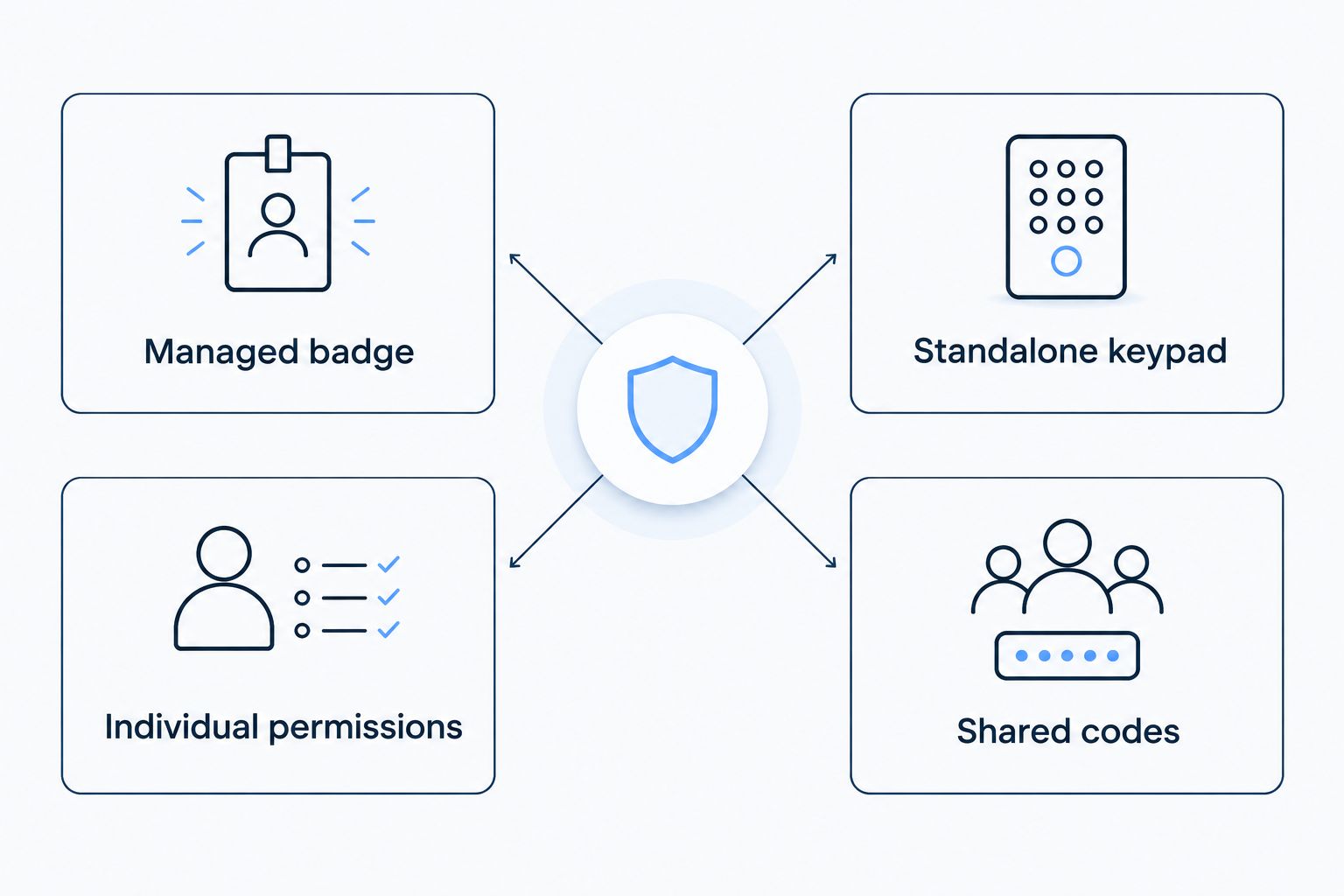
Managed badge access is the strongest starting point when you need individual permissions across multiple hospital doors. That recommendation does not make every badge system suitable: controller behavior, credential technology, and administration still need review.
The table compares methods, not named products. Combine options where your door-by-door assessment supports it, rather than forcing one method across the entire hospital.
| Option | Best for | Main advantage | Key limitation |
|---|---|---|---|
| Managed badge or fob access | Staff doors with changing permissions | Individual credentials can be assigned and withdrawn centrally | Requires supported hardware and disciplined administration |
| Standalone keypad | Limited, lower-risk staff spaces | Allows entry without carrying a separate credential | Shared codes weaken accountability; management varies by model |
| Mobile credentials | Teams with approved, compatible devices | Can reduce reliance on a separate physical credential | Depends on device compatibility and an alternative for unavailable phones |
| Biometric authentication | Selected restricted areas after specialist review | Uses a physical characteristic to authenticate a user | Requires privacy review, suitability testing, and a fallback method |
| Mechanical keys | Approved backup access or simple isolated openings | Does not depend on electronic credential administration | Lost keys and permission changes can require physical lock work |
| Visitor intercom with controlled release | Staffed visitor entrances | Lets an authorized person assess an entry request | Depends on coverage and consistent identity checks |
A keypad can suit an office door without being the right choice for a sensitive hospital area. The keypad lock installation guide for offices and small businesses explains that narrower use case; hospital specifications still need their own review.
Use the comparison to write a shortlist, then request evidence against your actual door inventory. Reject proposals that describe features without explaining operational limits.
Common mistakes hospitals make
Giving every department the same access
Building-wide permissions are simple to issue but disregard departmental boundaries. Start with role-based access and document exceptions. Temporary coverage should not automatically become permanent access.
Treating a staff badge as visitor authorization
A visitor badge and an electronic access credential serve different purposes. Keep visitor routes, escort requirements, and staff permissions distinct, and explain the difference to reception personnel.
Ignoring the mechanical door
A reader can accept a badge while a damaged closer leaves the opening unsecured. Include closing, latching, and exit operation in acceptance testing—not just a successful electronic unlock.
Assuming an installer owns every system fault
Door hardware, controllers, software, and network equipment can have different support responsibilities. Agree on escalation ownership before handover. Otherwise, a failed opening can become a dispute while staff wait for access.
Buying before consulting clinical teams
An entry restriction can affect patient transport, deliveries, or emergency movement. Review those workflows before placing an order, particularly where patient-containment or specialist care requirements apply.
FAQ
What's the best access control system for a hospital?
Managed badge access is the best starting point for hospital staff doors that need individual, changeable permissions. The final choice must fit each door's clinical use, exit requirements, existing hardware, and support arrangements.
Are keypad locks suitable for hospital doors?
Keypad locks suit selected, lower-risk openings when their operation meets the door's requirements. Shared codes provide weaker individual accountability than named credentials, so do not use them as a default for sensitive areas.
Does installing access control make a hospital HIPAA compliant?
No, installing access control does not by itself make a hospital HIPAA compliant. The HIPAA Security Rule includes facility access controls, but compliance also depends on the organization's applicable safeguards, policies, and procedures.
Should hospital doors unlock when the power fails?
The required power-loss behavior depends on the door's approved function and locking arrangement. Have the responsible design professional and authority having jurisdiction review entry, exit, emergency release, and any patient-containment requirements.
Can hospitals use phones instead of staff badges?
Hospitals can consider mobile credentials when the selected system supports approved staff devices. Provide an alternative for unavailable phones and review compatibility, administration, and staff-use policies before adoption.
What should a hospital test before accepting an installation?
A hospital should test authorized entry, denied entry, credential removal, door closing, event records, and approved outage behavior. Coordinate testing with facilities, security, IT, and clinical operations so it does not disrupt care.
Does Apex Lock N Key install hospital-wide security platforms?
Apex Lock N Key provides commercial lock and access-control installation in Middlesex County, Massachusetts. Confirm the specific hospital project scope, supported equipment, integrations, and ongoing support responsibilities before making an appointment.
One last thing
Watch the door after the credential works. A successful unlock is only part of the result: the opening must also close, latch, and provide its approved exit operation. Make that full sequence part of every door's 2026 acceptance checklist, not an optional maintenance note.